
How to Charge IGET Bar Pro 10000 and IGET One: The Practical Guide
If you have just unboxed a new bar and you are staring at it wondering where the charging port is, you are in the right place. This guide walks through how to charge the IGET Bar Pro 10000 and the IGET One 12000 safely, what to check on your packaging before you plug anything in, and the USB-C habits that keep a big battery healthy for the life of the device. Both devices are sold right here at IGET Store 01 with transparent AUD pricing, a flat A$18 shipping fee Australia-wide (free over A$199), dispatch within 1 business day with emailed tracking, proof of shipping on every order, a 30-day free return window, and a strict 21+ only policy — so you always know exactly what you are getting before it leaves our warehouse.
Why buy from IGET Store 01?
- Honest AUD pricing — IGET Bar Pro 10000 from A$49.00 and IGET One 12000 at A$59.00, no hidden conversion fees at checkout.
- A$18 flat shipping Australia-wide — free shipping on orders over A$199, metro or regional.
- Dispatched within 1 business day — tracking details emailed as soon as your parcel moves, with proof of shipping kept on file.
- 30-day free returns — if something is wrong with your order, we make it right.
- Adults only (21+) — nicotine products sold strictly to adult vapers.
First, Check Whether Your Device Actually Needs Charging

Before anything else, this is the single most important step: read the packaging. Disposable-style devices come in two camps. Some are sealed single-use units designed to last until the e-liquid runs out, with no port and no way to top up the battery. Others — particularly high-puff-count models in the 10000 to 12000 range — include a USB-C charging port so the battery can be topped up along the way. The rule we give every customer is the one printed across our own product pages: only use charging features if the manufacturer states they are supported, and follow the instructions on your specific packaging.
How do you tell at a glance? Look at the base of the device. A USB-C port is a small oval-shaped slot, roughly the size of a grain of rice. If your Bar Pro 10000 or One 12000 has that oval port on the bottom edge, it accepts USB-C charging. If the base is completely sealed with no opening, the battery was sized to outlast the e-liquid and the device is not meant to be charged at all — and forcing a cable into it or prying the casing open is both unsafe and a fast way to ruin the unit.
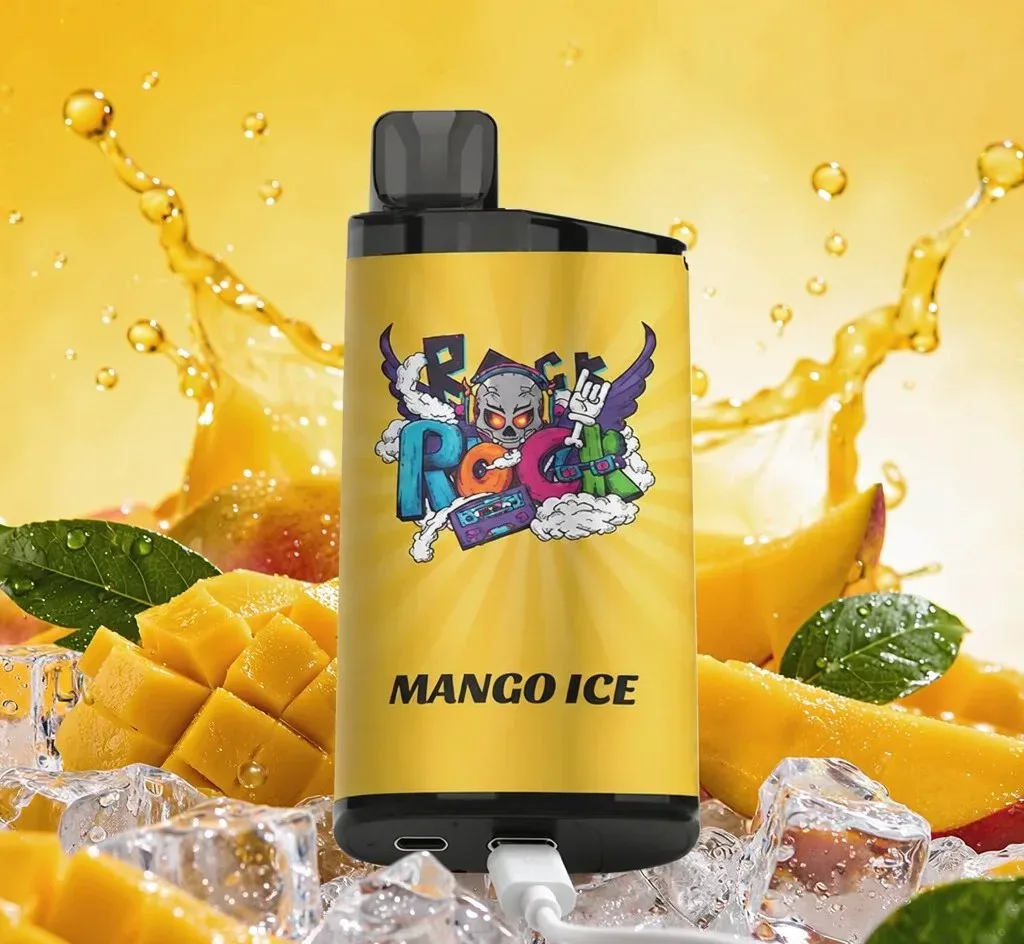
There is a good reason the high-puff models lean towards rechargeable designs. A 2000 mAh cell, like the one inside the IGET Bar Pro 10000 – Mango, simply cannot push out 10000 puffs on a single charge. On units that include the port, the battery gets topped up in stages while the e-liquid lasts the full rated count. On sealed units, manufacturers fit a battery large enough to finish the liquid — that is exactly why the IGET One 12000 carries a much bigger 2700 mAh cell than the Bar Pro's 2000 mAh.
How to Charge an IGET Bar Pro 10000 (If Your Unit Has the USB-C Port)
If the packaging and the base of your Bar Pro confirm charging is supported, the process takes seconds to start and about an hour to complete. Here is the routine we recommend:
Step 1: Use a Proper USB-C Cable
Use a standard USB-C to USB-C or USB-A to USB-C cable that came with a phone or tablet you trust. The port on a disposable bar is small and not built for abuse, so avoid cables that feel loose or wobbly — a worn connector that sits at an angle can damage the port or interrupt the charge cycle.
Step 2: Pick a Low-Power Power Source
This is the tip that matters most. Plug the cable into a standard USB wall adapter (5V/1A class), a laptop port, or a power bank — not a high-output fast-charging brick. Fast chargers negotiate much higher voltages and currents with devices that support them; a disposable vape does not, and pushing surplus current into its small charging circuit is the most common cause of overheating and shortened battery life. When in doubt, the USB port on your computer is the gentlest source.
Step 3: Connect and Watch the Indicator
Plug the cable into the base of the device. Most Bar Pro units show a small light at the base or on the face while charging — steady or pulsing while power flows, and a colour change or shutdown when the cell is full. If nothing lights up at all, reseat the cable at both ends and try another power source before assuming the device is faulty.
Step 4: Unplug at Full, Not Hours Later
A top-up usually finishes within roughly an hour. Once the indicator signals a full charge, unplug it. Trickle-charging a small lithium cell for hours — especially the classic "leave it on the charger overnight" habit — generates unnecessary heat and is the fastest way to age the battery prematurely.
IGET One 12000: LED Display and Battery Care
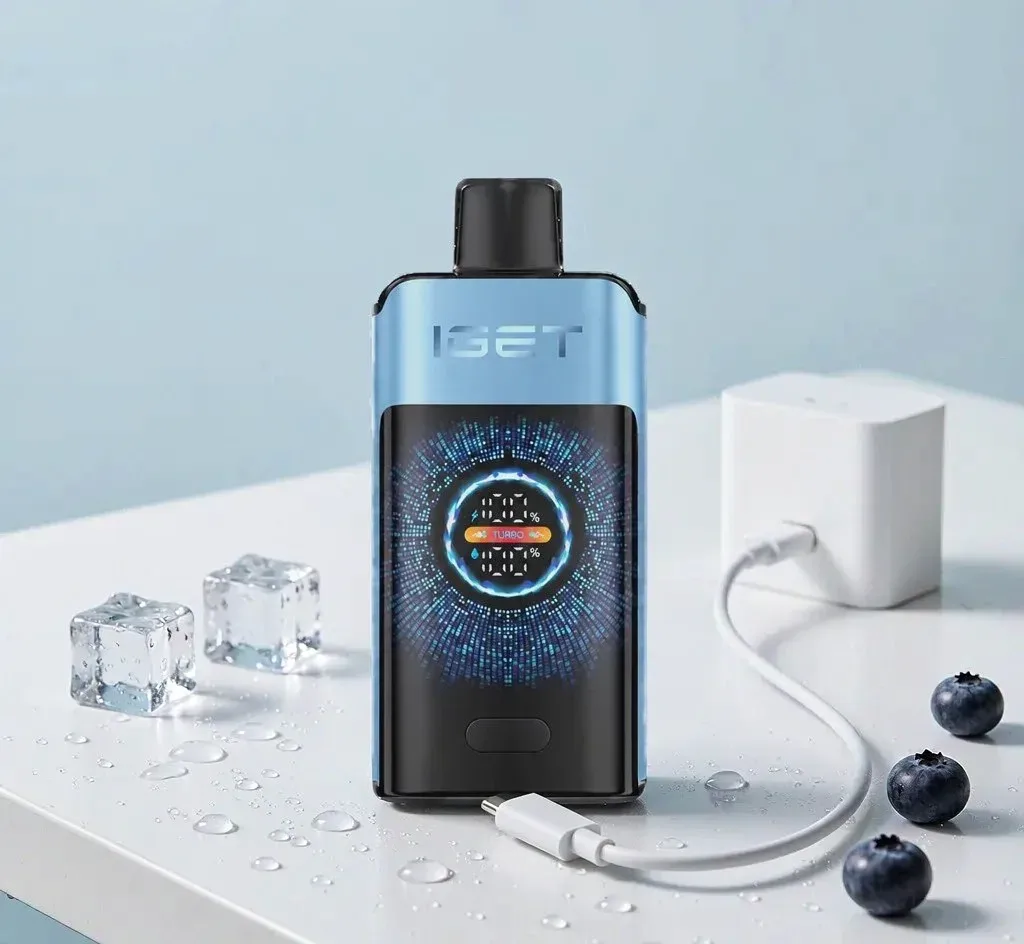
The IGET One 12000 – Blueberry Raspberry is the bigger sibling: up to 12000 puffs, a 2700 mAh battery, a 0.6 Ω dual mesh coil, and a bright LED display. That display is your best friend when it comes to charging — instead of guessing, you can see the remaining battery and e-liquid levels at a glance. Treat it the same way as the Bar Pro: confirm from the packaging that your unit supports charging, use a gentle 5V power source through a good USB-C cable, and unplug as soon as the display reads full.
Because the One runs a dual mesh coil at lower resistance, it draws more current per puff than a standard coil. Keep an eye on the battery readout during long sessions; if the display shows the cell running low, a partial top-up of twenty to thirty minutes is enough to carry you through the day on units that support charging. There is no need to wait for a completely flat battery before recharging — small, frequent top-ups are kinder to lithium cells than deep discharges.
One more point worth repeating for the One specifically: the LED display also shows e-liquid level. If the screen shows the liquid nearly empty but the battery still healthy, the device is finished — do not keep charging a dry device hoping for more puffs. Running a mesh coil with the wick dry produces harsh, burnt hits and does nothing good for the hardware.
USB-C Charging Safety Tips Every Adult Vaper Should Follow
Nicotine products are for adults 21+, and the same maturity applies to how you charge them. These are the rules we consider non-negotiable:
- Never charge unattended or overnight. Charge while you are awake and nearby, and unplug when it is done.
- Never charge on soft furnishings. A bed, couch, or pillow traps heat around the device. Hard, flat, ventilated surfaces only.
- Avoid fast-charging bricks, "boost" ports, and cheap no-name cables. Standard 5V output is what these charging circuits are designed around.
- Stop immediately if the device gets hot. Warm is normal; hot to hold is not. Unplug, let it cool on a hard surface, and if it heats up again on the next attempt, stop using the charger and contact us within the 30-day return window.
- Keep the port dry and clean. Pocket lint in a USB-C port blocks the connector and causes intermittent charging. A gentle puff of air — not a metal pin — clears it.
- Never charge a damaged device. Cracked casing, dented base, or a wobbly port means the device is done. Do not tape it up and hope.
- Never attempt to open or "refit" a sealed device. If your unit has no port, it was never designed to be charged — opening a lithium battery pack is genuinely dangerous.
Common Charging Mistakes That Shorten Battery Life
Most "my bar died early" stories we hear trace back to one of four habits. First, fast-wall-charger syndrome: a 30W+ brick pushing unsuitable current into a tiny circuit, cycle after cycle, quietly cooking the cell. Second, overnight charging that keeps the battery at maximum voltage for eight hours a day, which accelerates chemical ageing. Third, charging in a hot car or direct summer sun — Australian dashboards easily exceed 60°C, and lithium cells hate heat more than almost anything else. Fourth, deep-draining: running the device until it will not fire at all, repeatedly, before any top-up. Avoid all four and the battery in a 2000 to 2700 mAh class device will comfortably keep pace with the e-liquid for the full rated puff count.
For a deeper dive on what that looks like in practice, our existing guides cover how long an IGET Bar Pro 10000 lasts and how long an IGET One 12000 lasts in real-world use — both pair nicely with this guide if you are deciding between the two devices.
Quick spec comparison: IGET Bar Pro 10000 vs IGET One 12000
Charging, Storage and Everyday Care Between Refills
Battery care does not stop at the cable. If you keep a spare device in the drawer, store it at room temperature away from direct sunlight — a vape left on a sunny windowsill in an Australian summer ages its battery even when idle. Keep devices upright where possible and away from keys or coins that could press against the base. And if you rotate between two devices, give each one a partial charge before putting it away rather than storing it completely flat; lithium cells prefer resting at mid-charge over sitting at zero for weeks.
Frequently Asked Questions
How long does it take to charge an IGET Bar Pro 10000?
On a standard 5V/1A power source, a full top-up typically takes around an hour on units that support charging. The indicator light on the device tells you when it is done — unplug at that point rather than leaving it connected.
Can I charge my IGET bar with my phone fast charger?
We advise against it. Fast chargers push higher current than these small charging circuits are designed for and are the most common cause of overheating. A standard wall adapter, laptop USB port, or power bank is the right choice.
Does the IGET One 12000 need charging?
Check your packaging: charging support depends on the exact unit you purchased. If your One has a USB-C port on the base and the packaging confirms charging, follow the same gentle-source routine described above. The LED display shows battery level so you always know where you stand.
What if my device has no charging port?
Then it is a sealed single-use design — the battery was fitted to outlast the e-liquid, and it should simply last until the liquid is gone. Never force a cable in, and never open the casing.
Is it safe to leave a vape charging overnight?
No. Charge unattended overnight is the habit we most want readers to drop: it adds heat and stress for hours after the cell is already full. Charge while you are present and unplug when full.
Where can I buy IGET Bar Pro 10000 and IGET One in Australia?
Right here. Every Bar Pro and One order ships Australia-wide for a flat A$18 (free over A$199), is dispatched within 1 business day with tracking emailed and proof of shipping kept on file, and is covered by our 30-day free return policy. Adults 21+ only.
The Verdict
Charging a high-puff disposable is not complicated — the discipline is in the details. Confirm from the packaging that your unit supports charging, look for the USB-C port on the base, use a gentle 5V source with a decent cable, unplug when the indicator says full, and never charge unattended, on soft surfaces, or in the heat. Do those five things and whether you run the compact Bar Pro 10000 at A$49.00 or the LED-equipped One 12000 at A$59.00, the battery will keep pace with the e-liquid right to the end of the rated puff count. Both devices, all flavours, and every reorder are waiting at IGET Store 01 — same-day dispatch on orders placed before cut-off, tracking to your inbox, and our 30-day free returns standing behind every box.